purasync

Two directions.
One record.

Your Revit schedules, live in Notion for the whole team and for AI, then safely back into the model.

Revit 2024 through 2027

Revit123-Main-St.rvtSheet List
Sheet List
Sheet NumberSheet NameDrawn ByChecked By
A0.0Cover SheetEAJR
A1.0Site PlanRGEA
A2.0First Floor PlanRGEA
A2.1Second Floor PlanRGEA
A3.0ElevationsRGEA
A4.0Building SectionsEAJR
A5.0DetailsEAJR
PurasyncCommitted
REVIT MODEL123-Main-St.rvt
NOTION123 Main St
SYNC ACTION
Push to NotionRevit data → cloud
Pull from Notioncloud data → Revit
Check Syncverify both match
SCHEDULES
SheetsRoomsDoorsWindowsLight FixturesRoom FinishesFurnitureLight & Air CalcsPlumbing FixturesSpecialty Equipment
Push 7 sheets → NotionNotion edit detected A3.0Dry run 1 change, 0 creates, 0 deletesCommitted Checked By → EA
Preview only (dry run)
Notion123 Main St
Sheets
TableBoard
Sheet NumberSheet NameDrawn ByChecked By
A0.0Cover SheetEAJR
A1.0Site PlanRGEA
A2.0First Floor PlanRGEA
A2.1Second Floor PlanRGEA
A3.0ElevationsRGEA
A4.0Building SectionsEAJR
A5.0DetailsEAJR
+ New
  1. PushThe sheet list lands in Notion as a real database.
  2. EditA reviewer signs off on A3.0 from their phone.
  3. Dry runOne sheet, one property. Nothing else moves.
  4. PullThe titleblock parameter updates in the model.

The easiest win, and the one firms feel first. Whoever checks the drawing signs it off, from wherever they are.

The template is the product.

A Revit template carrying the shared parameter contract. A Notion template with the right property types. The plugin that keeps them honest. Sold together, because the contract between them is what makes any of it reliable.
Ten schedules. One checklist.

  • Sheets
  • Rooms
  • Doors
  • Windows
  • Light Fixtures
  • Room Finishes
  • Furniture
  • Light & Air Calcs
  • Plumbing Fixtures
  • Specialty Equipment

Survives the version jump.

Identity rides on shared parameter GUIDs, so your mapping holds when the model moves to a new Revit year.

Checked By, the same in every year901976ed-4b93-47ba-a02c-18f4d64690a8

Your client needs no seat.

Share one project through a signed read-only link. No account, no login, no access to anything else.

Charging someone to look at their own building would be absurd.

Click the model. Find the row.

A self-hosted 3D viewer. Click an element to jump to its schedule row, and back the other way.

D1D2TYPE MARKWIDTHD13'-0" D23'-6" D36'-0"

Every project in the browser. Nothing to install.

revit.pur4.com
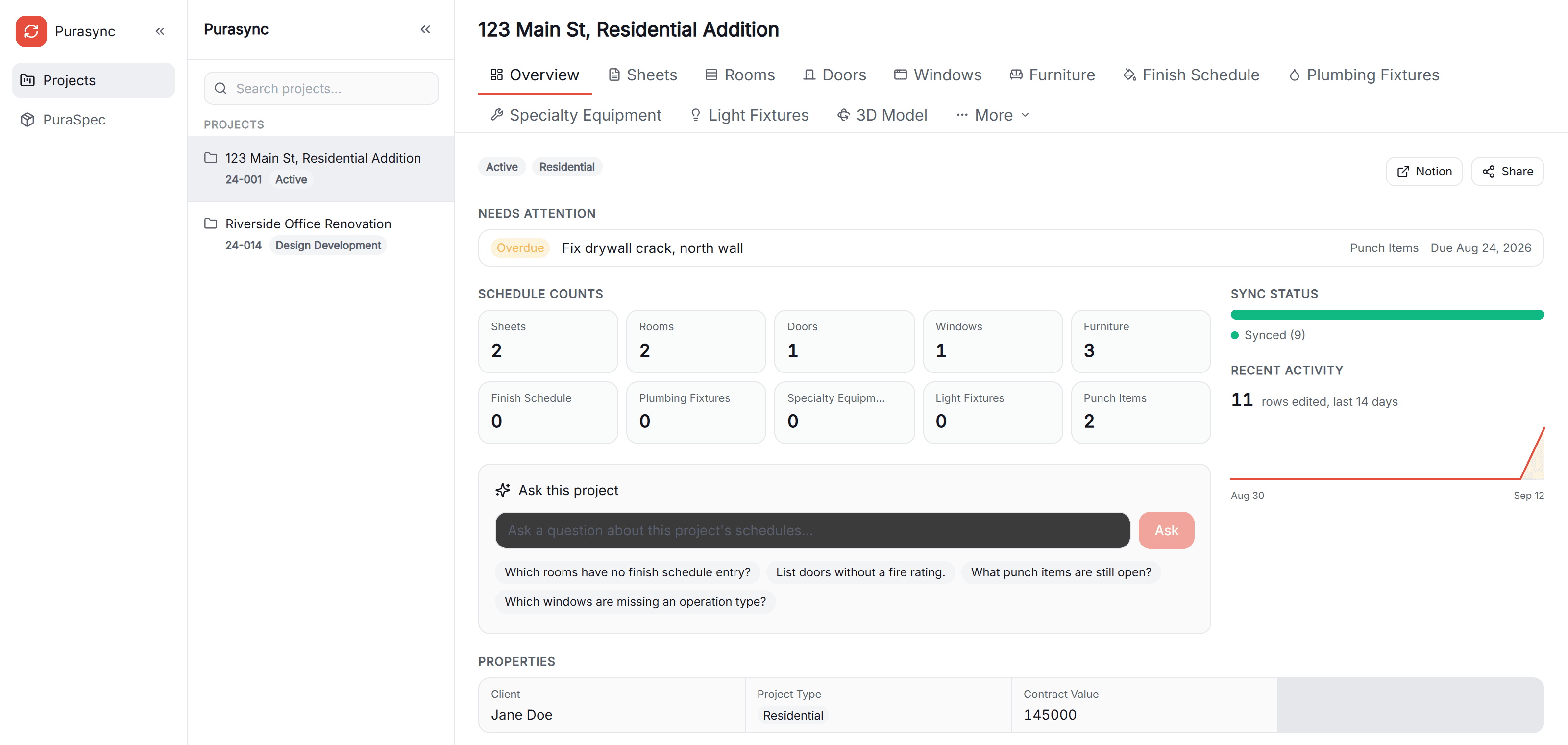
The purasync web app showing a project overview with schedule counts, sync status and an Ask this project box

The web app reads the same Notion workspace. Schedules, sync status, punch items and the 3D model sit one tab apart.

Ask this project.

The schedules already live in Notion, so a question gets answered from the project's live data.

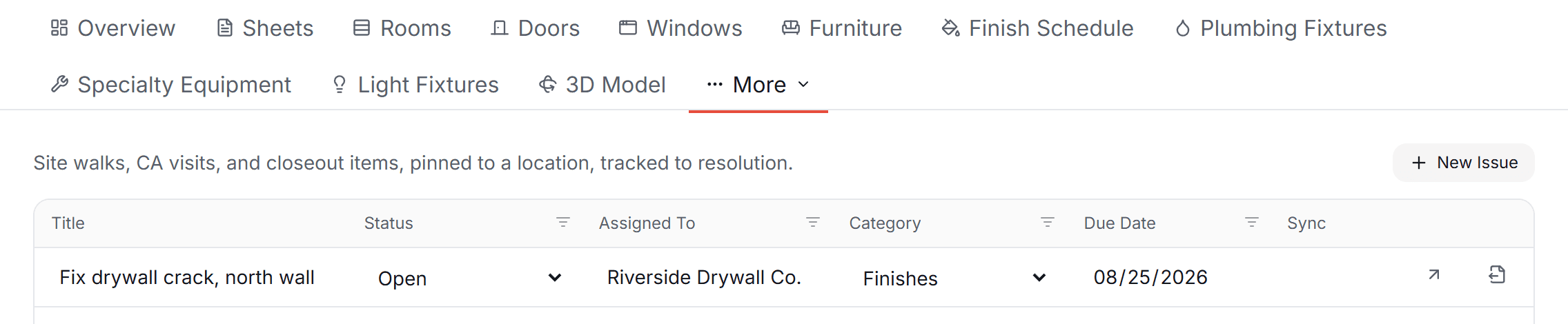
Punch items, pinned in 3D.

Site walks, CA visits and closeout items, pinned to a point in the model and tracked to resolution. Reopen one and the viewer returns to the same view.

The purasync punch items table with status, assignee, category and due date columns

Nothing writes to your model without your approval.

Run any sync as a preview first. You see the full diff, which parameters change on which elements, and nothing is written until you commit. Creating or deleting an element is never silent.

The difference

Why not
export instead?

An export is a copy of the model on the day it was made. The sync keeps both sides current, in both directions.

purasyncExport toolsIn-Revit tools
Changes flow back into the modelYes, after a previewNoYes, inside Revit
The whole team can editYes, in NotionIn a spreadsheet copyRevit users only
Clients can look without an accountYes, a read-only linkBy emailing a fileNo
Questions answered from live dataYes, Ask this projectNoNo
Mapping holds across Revit yearsYes, by parameter GUIDVaries by toolVaries by tool

Viewers are always free. Sharing a project with a client or a consultant costs nothing.

See it on your own model.

PuraTech is built and used every day at PUR4 Studios, a practice licensed in New York, New Jersey and Pennsylvania.